Watch it in action
See NeckCure in 30 seconds

The posture & eye-care coach for Windows
The moment you slouch, NeckCure gently dims your screen — so you stop straining your neck. On Pro, it even tracks your blinks to keep dry, tired eyes away. All through your webcam, all on your device.
Microsoft Store · Windows 10 / 11 · Also available for Mac
Watch it in action
The two souvenirs of screen time
They creep up after hours at the screen — and they don't go away on their own. NeckCure tackles both at the source: catching slouching before it strains your neck, and dry eyes before they sting.
How it works
NeckCure reads your posture from your webcam in real time using on-device AI. No wearables, no straps — just your existing camera.
The moment you start to slouch, a calm, unobtrusive reminder nudges you to straighten up — before it becomes a habit.
See your posture trends over days and weeks, build streaks, and watch upright become effortless muscle memory.
What's inside
A pop-up reminder is easy to ignore. So when you hunch, NeckCure gently fades your screen to dark — and snaps it back the instant you sit up straight. Your neck gets the break it needs, whether you were paying attention or not.
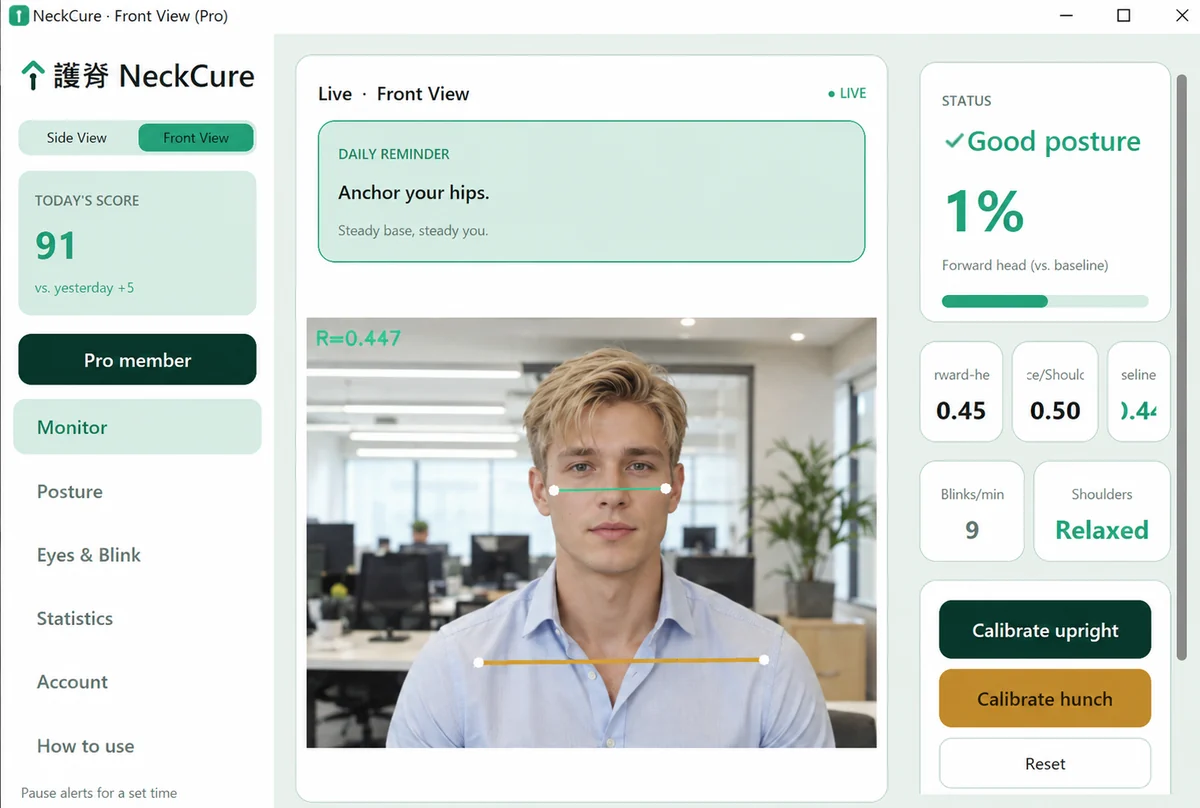
Locked onto a screen, you blink far less than normal — the express lane to dry, gritty, aching eyes. NeckCure watches your blink rate in real time and reminds you to blink and rest, so you finish the day clear-eyed instead of sore.
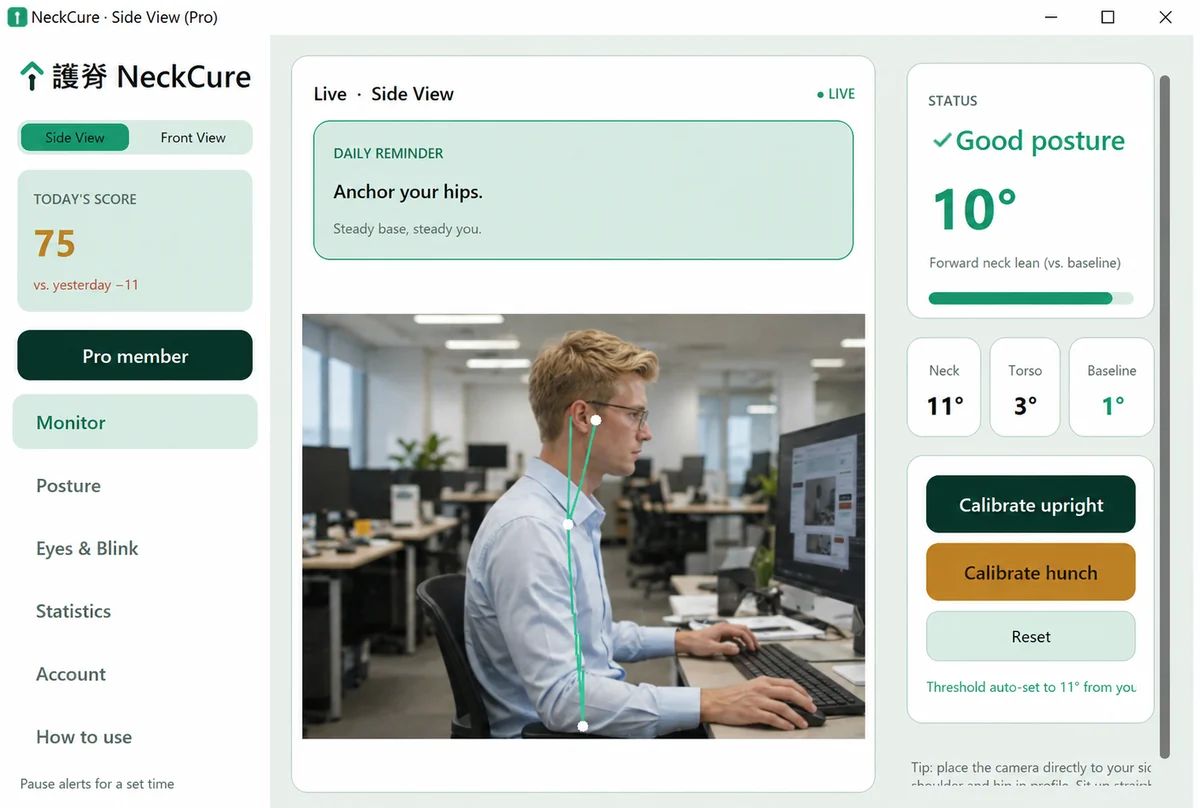
Side-view or front-view, NeckCure reads your real spine and neck angle — not a dumb timer that nags on a fixed schedule. Calibrate once, then let it quietly watch your back.
Your daily "Uprightness" score and day / week / month trends show exactly when you sat well — and when you drifted. Progress you can actually feel motivated by.
In the zone, time disappears — and three unbroken hours in the same chair strain your neck, back and eyes all at once. Tell NeckCure how long you’re allowed to sit; when you hit it, the whole screen fades to a calm break and counts you down — so you actually stand up, stretch, and rest your eyes on something far away.
A small always-on-top gauge shows your live posture at a glance, then gets out of your way.
English, 中文, Español, 日本語, 한국어 — NeckCure auto-matches your system language out of the box.
Why it works when reminders don't
Most "sit up straight" apps just buzz you on a schedule. NeckCure watches what’s actually happening.
Private by design
This is the part most posture apps gloss over. NeckCure processes every frame locally, in memory only. Images are never recorded, never uploaded, and never used to identify you.
No face recognition. No cloud. Just you and your posture — and the frame is gone the instant it's checked.
Windows, finally
Almost every camera-based posture app is Mac-only. NeckCure is designed for Windows from day one — the same on-device AI, the desktop most of the world actually works on.
System requirements
Download
Same app, same one-time purchase-free start: the free plan works on both.
Not sure which one? Apple menu → About This Mac shows your chip.
Open the file, then drag NeckCure into your Applications folder.
Simple pricing
Use NeckCure free for 4 hours every day. When you want it watching your back all day long, Pro is priced to be a no-brainer.
Build the habit — 4 hours a day, on the house.
Unlimited time — plus the full picture.
Simple, honest pricing · Cancel anytime · Secure checkout by Paddle · Prices in USD
Good to know
Never. All posture detection happens on your device, in memory only. Frames are analysed and immediately discarded — nothing is recorded, stored, or sent to us or anyone else.
A Windows 10 or 11 PC — or a Mac (macOS 15 on Apple silicon, macOS 14 on Intel) — with a webcam — your laptop's built-in camera is perfect. That's it: no wearable, no phone, no extra hardware. It's a lightweight download, and set-up takes under a minute with a one-time calibration.
Free gives you real-time monitoring, screen-dimming and reminders for 4 hours every day — plenty to build the habit. When you pass 4 hours, NeckCure gently pauses with a little encouragement until tomorrow. Pro removes the daily limit entirely and adds full posture history, eye-care reminders, and use on up to 4 devices.
Yes — a Pro account works on up to 4 devices at once. Signing in on a 5th simply signs out the one you've used least recently. You can manage your devices anytime in the app.
Anytime, in a couple of clicks, through the customer portal. You keep Pro until the end of your current billing period — no emails, no hoops.
Download NeckCure free, calibrate once, and let it quietly watch your back while you work.
Download free for Windows